
# Alipay Data Export Tutorial
Export your personal bills from the Alipay mobile app, then import the original bill file into iCost.
Only personal bills can be imported. Complete the following steps in the Alipay mobile app.
# 1. Request your personal bill
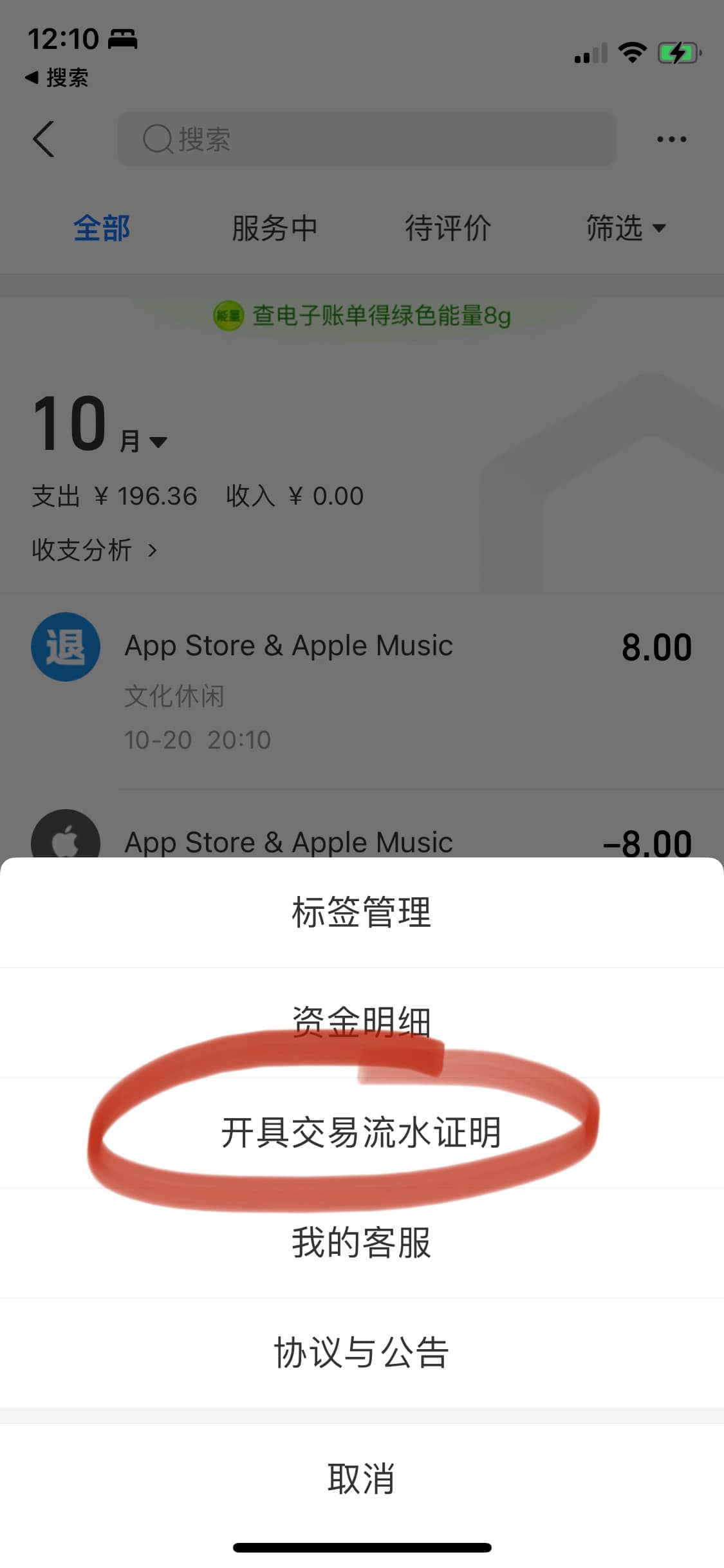
In Alipay, go to My → Bill, then tap More (···) in the upper-right corner. Follow the steps below.
Open the export option
Select Generate Transaction Flow Certificate.
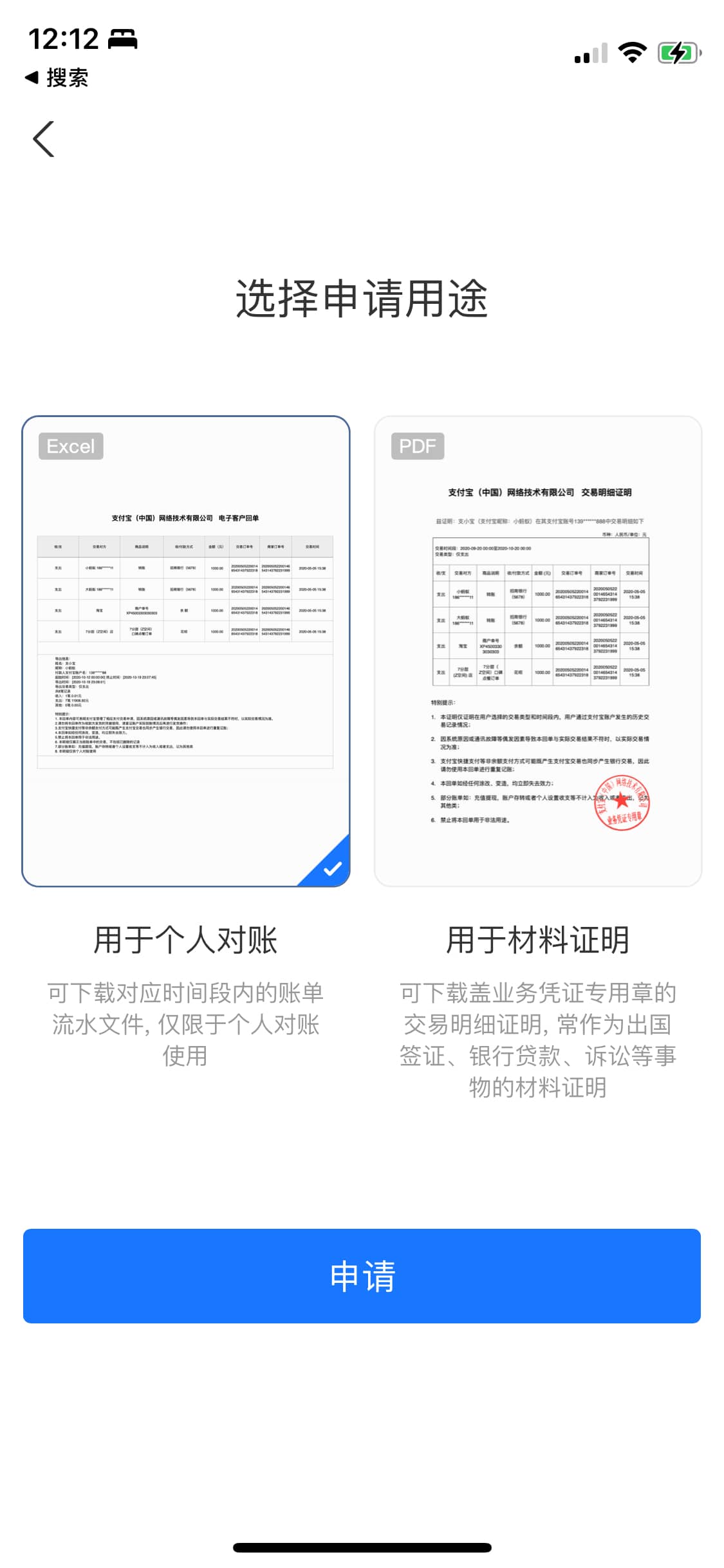
Choose a purpose
Select For Personal Reconciliation (Excel), then tap Apply.
# 2. Choose a range and export
Select the transaction type and date range, then tap Next. Follow the prompts in Alipay to complete the request and download your bill file.

Tap a screenshot to enlarge it.
# 3. Import into iCost
Save the downloaded bill file to your phone and keep it in its original format.
Open iCost, go to Settings → Bill Import, and follow the on-screen instructions to import your Alipay bill.